Today’s article is written by Shlomo Genchin - a Creative Director who makes ads for tech unicorns. He’s also the creator of the course Boring Products, Fun Ads, loved by 500+ marketers from companies like Apple, HubSpot, and Semrush.
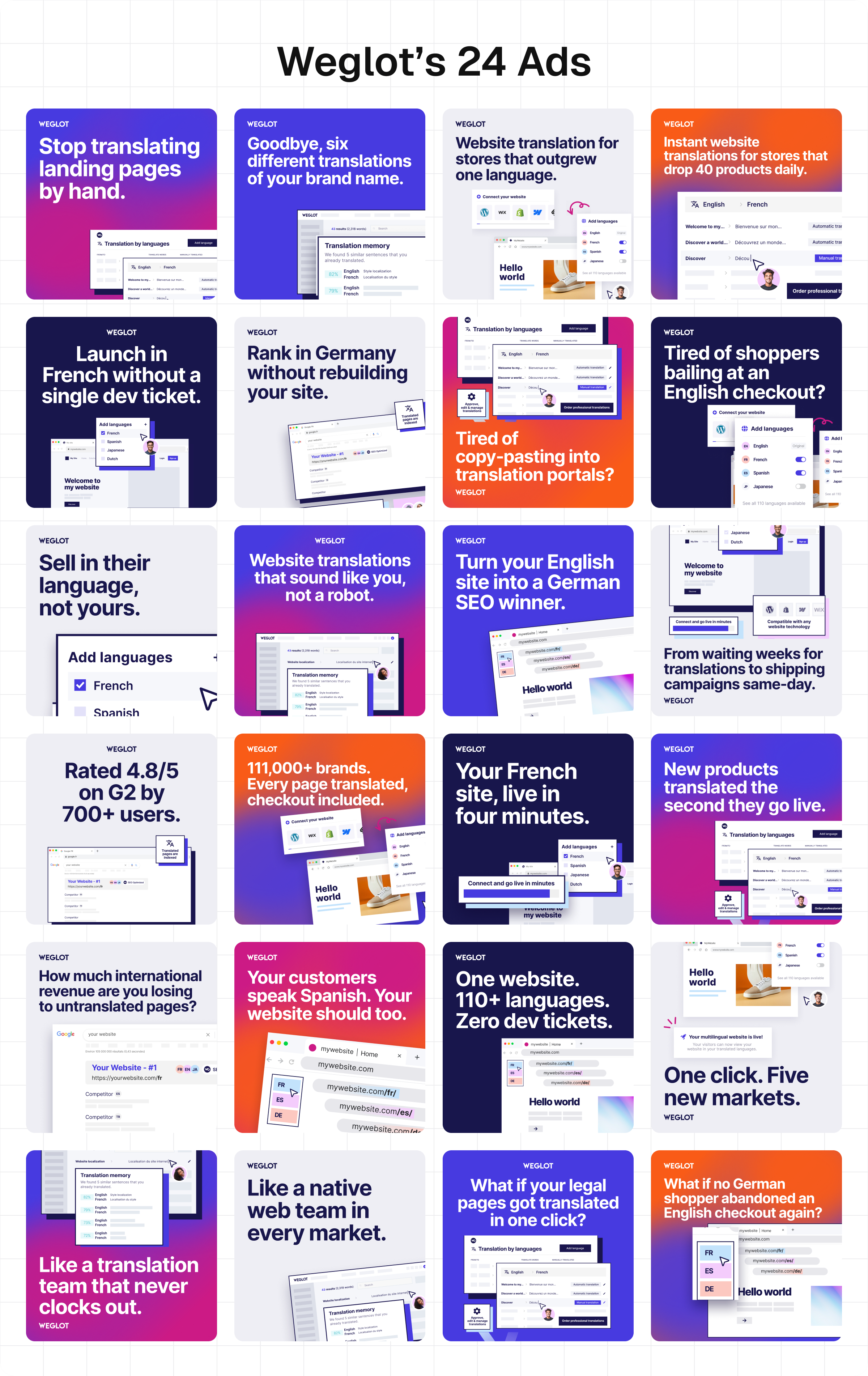
Claude made these fantastic ads for my client, Weglot:
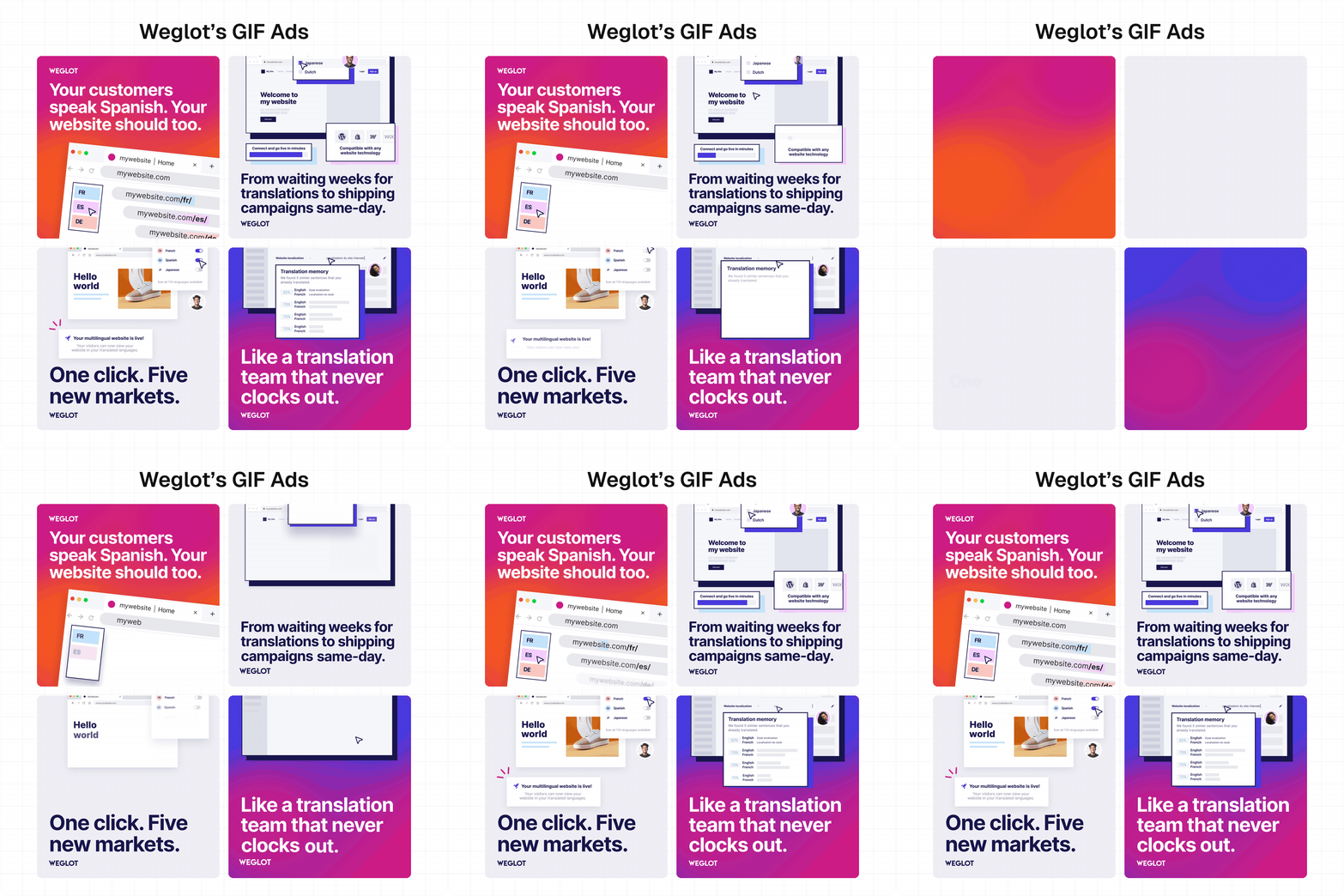
It researched the audience, wrote the headlines, designed the ads in Figma, and animated them - without my guidance.
All that used to be my job.
Now I’ve trained Claude to do it for me.
And it works because the best ads are way simpler than they look.
Simple ads sell better 💰
We marketers tend to overcomplicate ads.
True, yeah, fancy videos and clever visuals are sick.
But if you’re tight on time or budget - you can kick off your ad program with just one format:
1️⃣ Logo → 2️⃣ headline → 3️⃣ product shot:
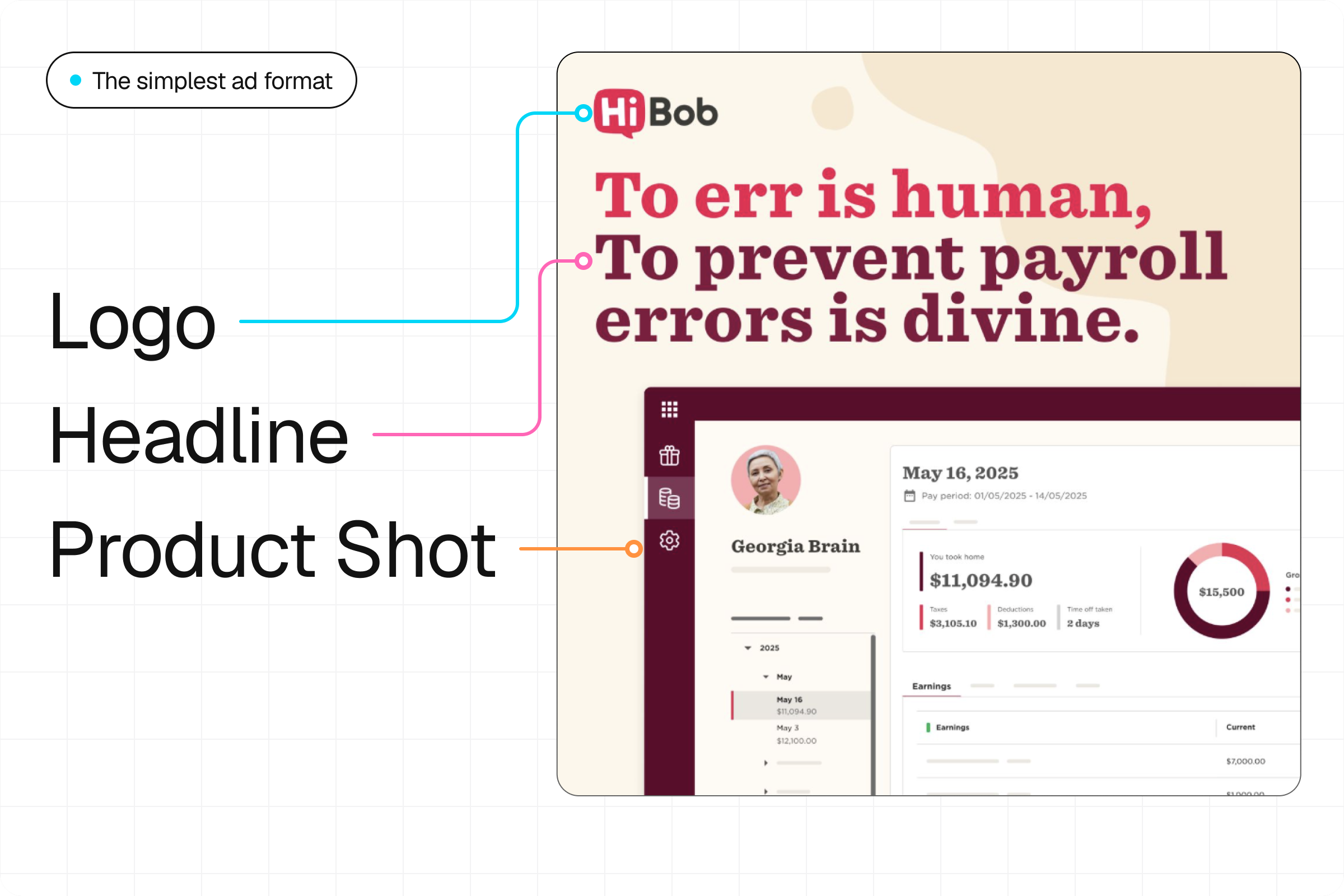
Look at what HiBob does here: It brings up a problem every HR team hates (payroll errors), then shows you the exact screen in its product that prevents them.
Logo → headline → product shot. It’s that easy!
Here’s the same format for Lovable and Attio:
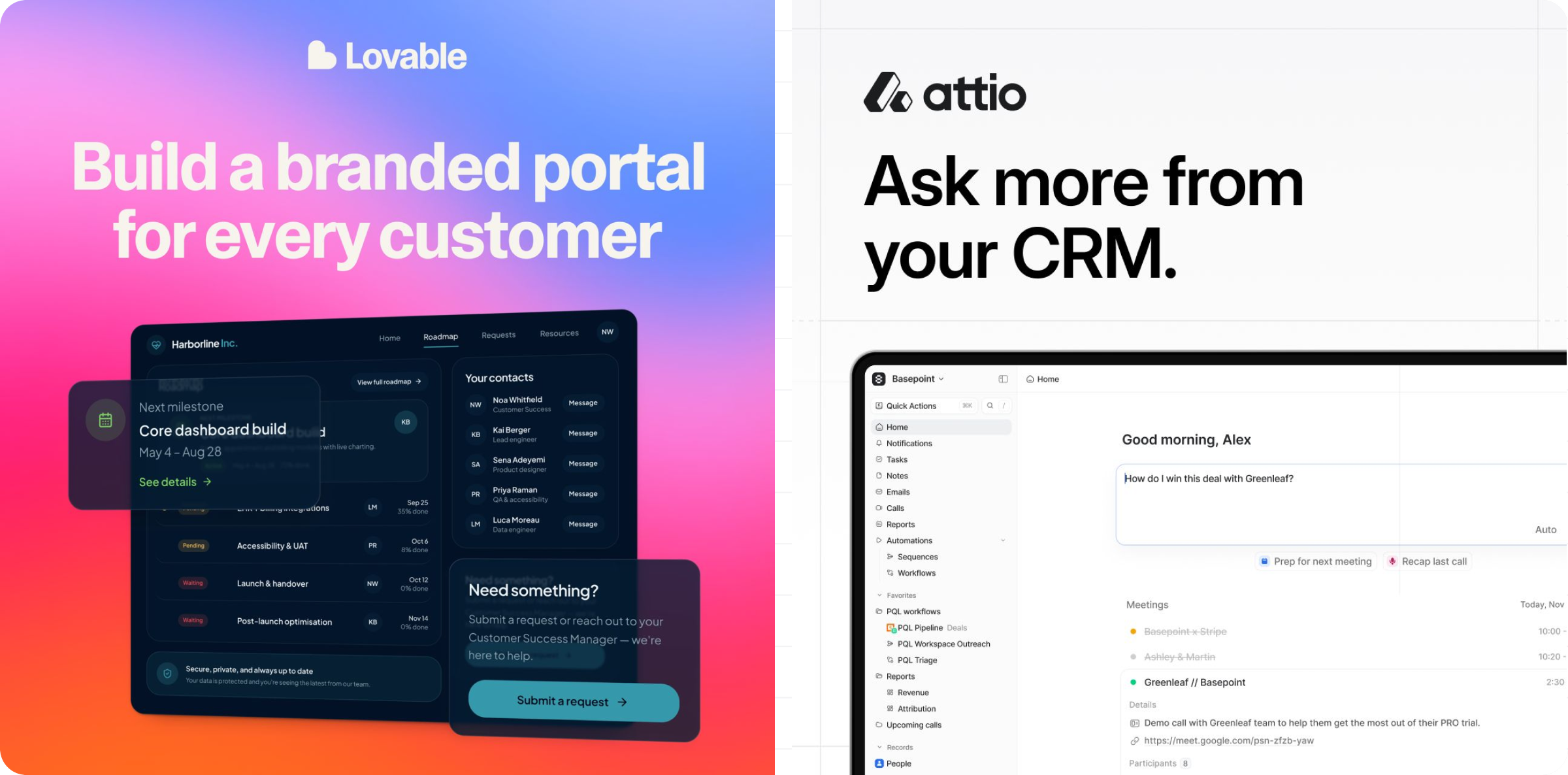
For my client, Claude designed 24 ads this way in one chat, like a little ad factory:
Here’s exactly how I trained AI to do it 💻
It took me 5 steps, and you’re getting ALL my prompts and skills below (you can clone me!).
Step 1: Pull your customers’ pains from your website 💢
To understand any audience, I open a new Claude chat and run this research prompt:
Research this company’s audience: [website link here]

Build a table with 10 rows, each covering a different job:

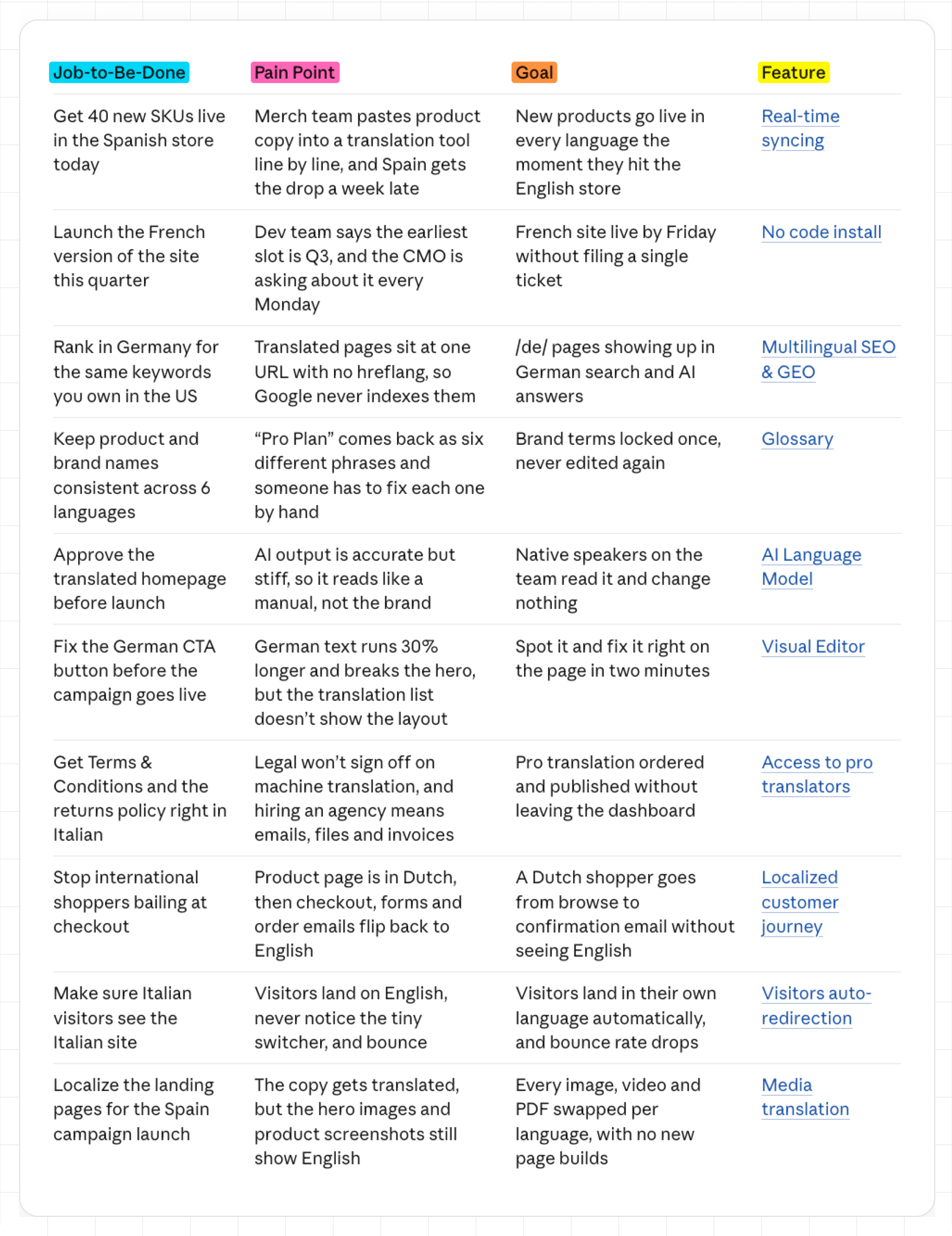
Job-to-Be-Done | Pain Point | Goal | Feature

Each row is one story: a task the customer has to get done, what makes it painful, the win they want, and the product feature that delivers it. Pull features from the site itself (feature pages, product tours, pricing) and use the company’s own names for them. Link each feature to the page on the site where it’s described.

Example row:
- Job-to-Be-Done: “Send the weekly status report to the client” (a real task from their to-do list)
- Pain Point: “Checking 5 different apps for one update” (a moment you can picture)
- Goal: “Report out by 9am, zero follow-up questions” (a win you can picture them celebrating)
- Feature: “Automated Status Reports” (a real feature named on the site, linked to its page)
Two minutes later, I get this table:
💡 Pro tip: Give Claude access to sales call recordings, strategy decks, or any other docs that can help it make your table more accurate.
Every row in the table is a potential ad.
Step 2: Steal headlines from the world’s best ads 🏆
Now I want to use this table to write copy.
But I hate generic AI headlines. That’s why I:
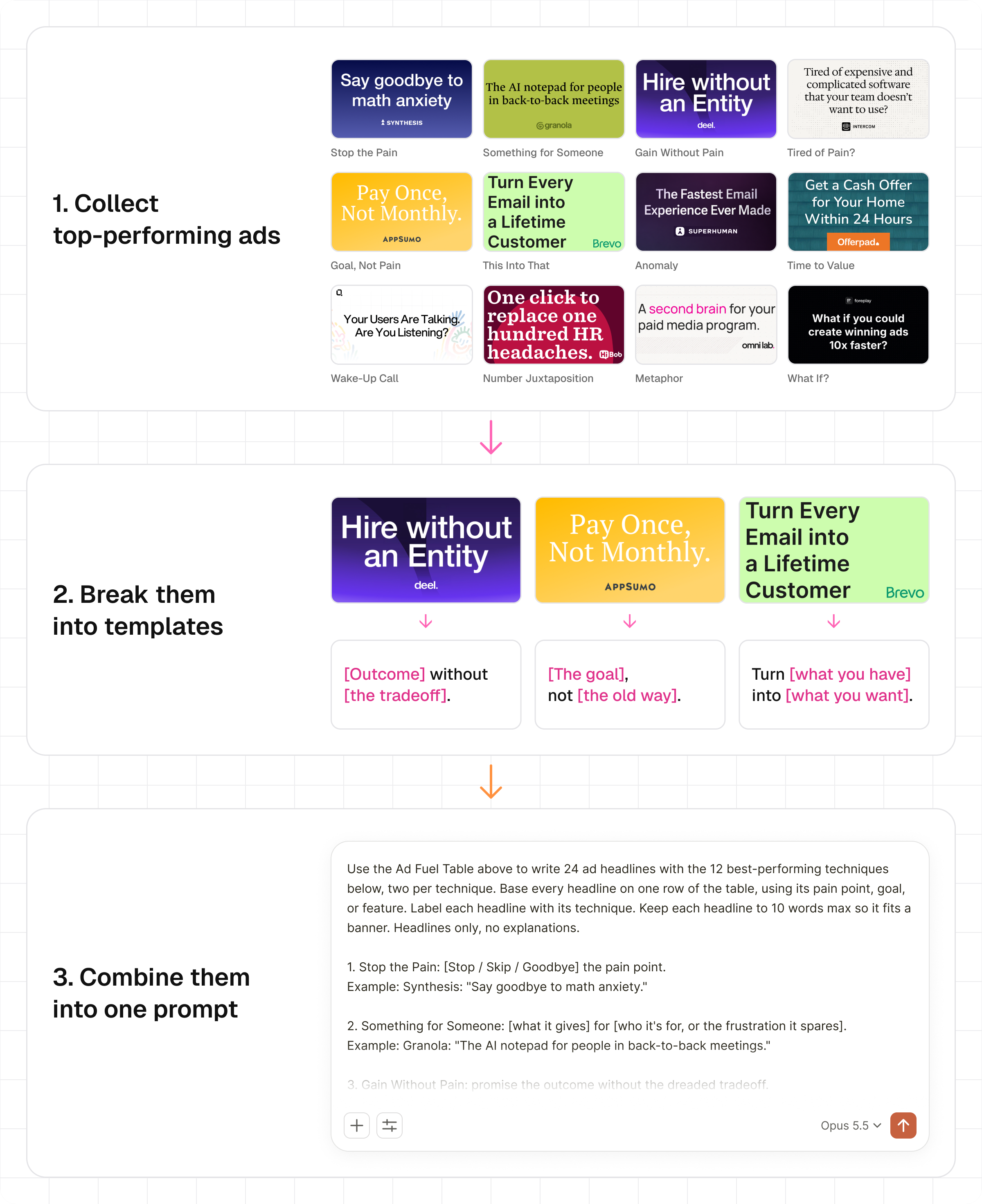
Collected 100+ top-performing* Google, Meta, and LinkedIn ads.
Broke them down into templates.
Combined the templates into one prompt that writes ads for ANY product.