

The 1 second that decides if your video goes viral 🔇
I spent years putting 10% of my effort on the most important 90%

Today’s free idea is sponsored by Brew.
People are calling Brew the “Claude Design for email marketing” - and I think that’s 100% true.
You describe what you want in plain English, and Brew builds the entire campaign: copy, design, automations, all on-brand. It learns your colors, fonts, voice, and imagery from your website, so every email looks like your team wrote it.

I’ve been playing with Brew and it’s honestly *wild* how fast you can go from idea to sent email. Works with any ESP you already use - Klaviyo, HubSpot, Mailchimp, etc. Give it a shot!
Want to sponsor the Marketing Ideas newsletter? Apply here
Last week, Nikita Bier (Head of Product at X) tweeted this:

He’s right. People watch videos on mute. That’s why we need captions.
But there’s a HUGE gap between “I added captions” and “my captions are working.” If you do it right → you can 5x your chance of going viral.
🎬 Here’s exactly how to do it right
1. Lock the first subtitle on screen at second 0. People will keep on scrolling if they’re not sure the video is “optimized” for watching on mute. That’s why the first subtitle has to be there BEFORE the speaker’s mouth opens. Burn it into the video file in your editor (CapCut, Descript, Premiere). Auto-caption tools always lag 200-500ms behind the speaker. That tiny lag makes people scroll.
HubSpot does this perfectly:
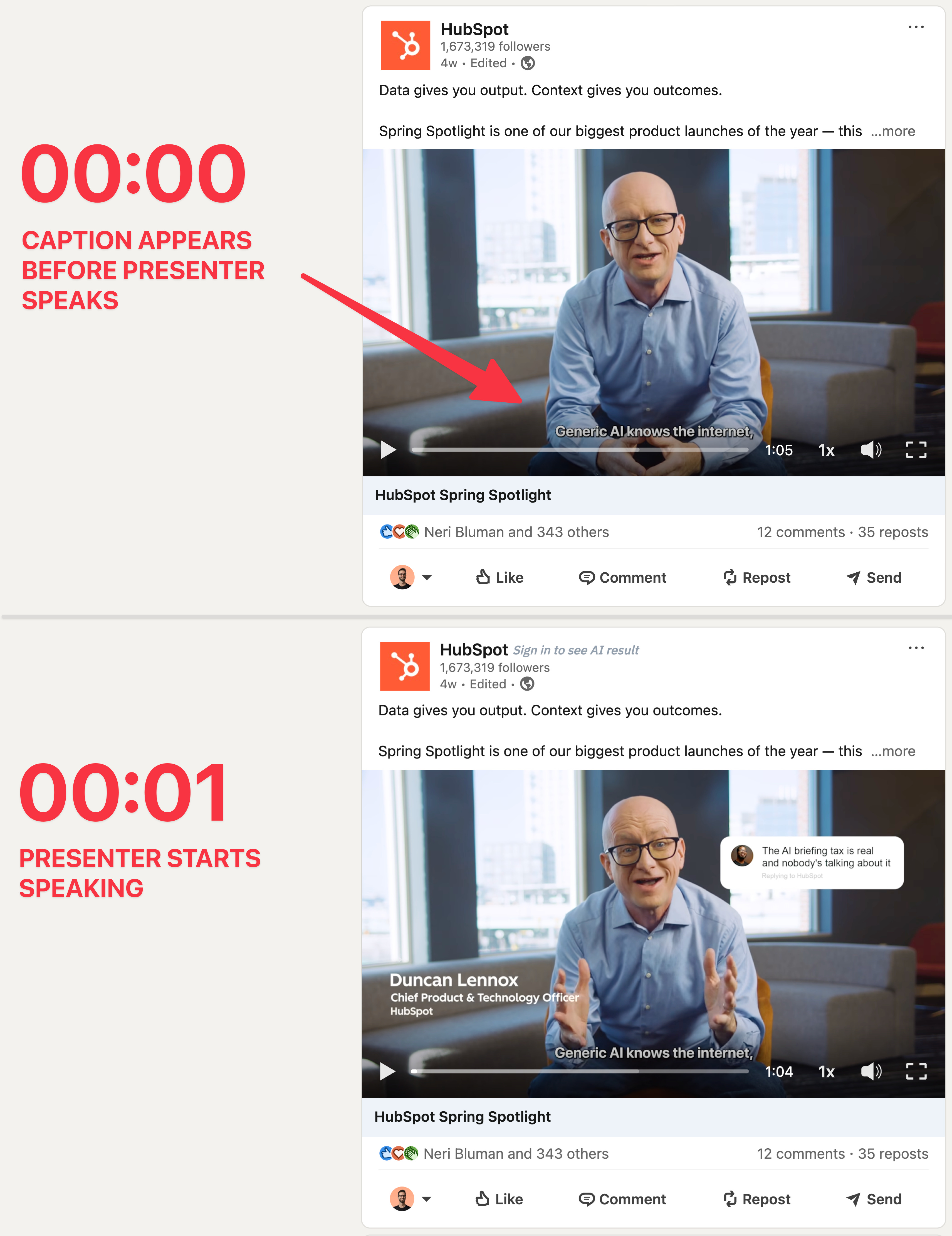
2. First line under 6 words. Your reader has 1 second to decide if this video is worth their attention. They cannot read 15 words in 1 second. They CAN read 6. Treat the first subtitle like a headline. If the speaker says “Today I want to tell you about something I’ve been obsessed with for months,” then your subtitle should either rewrite it (“I’ve been obsessed with this.”) or split it across frames. Never dump the full sentence on screen at once.
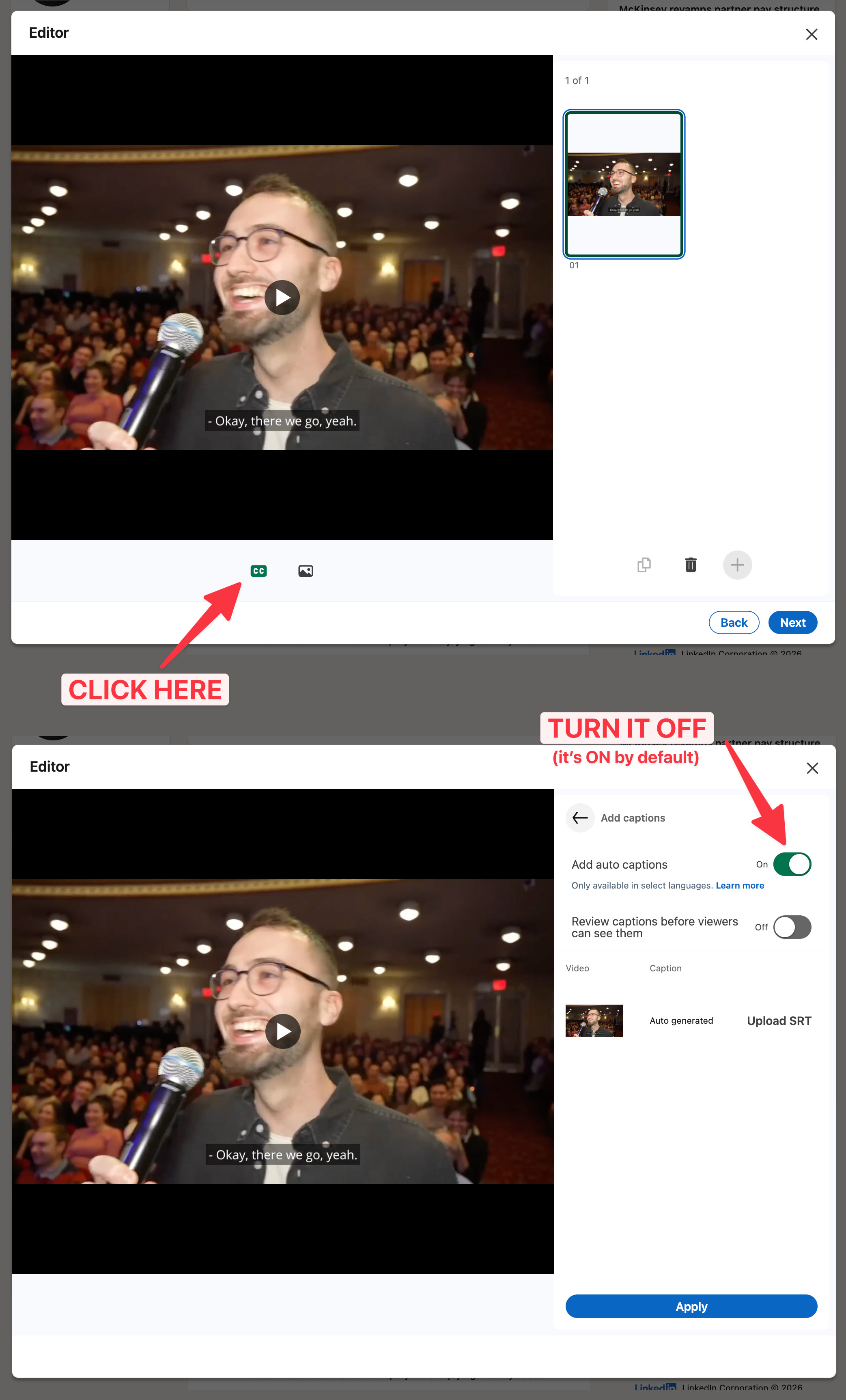
3. Turn OFF the platform’s auto-captions on upload. This one drives me crazy. Literally 99% of marketers are doing it wrong. LinkedIn and X both stack their own auto-captions on top of yours, so you end up with two layers of text on screen. Turn off auto-captions in the upload modal before you publish.
4. Size up the part you want to emphasize. Pick the most important part of each section (a number or a punchline phrase) and bump its size 1.5-2x. This is a great way to keep people hooked.

5. Add a background for contrast. Another one most marketers skip. If your subtitle is white text and the speaker is standing in front of a white wall, the subtitle disappears. Fix: add a subtle drop shadow, a semi-transparent dark bar behind the text, or a thick outline.

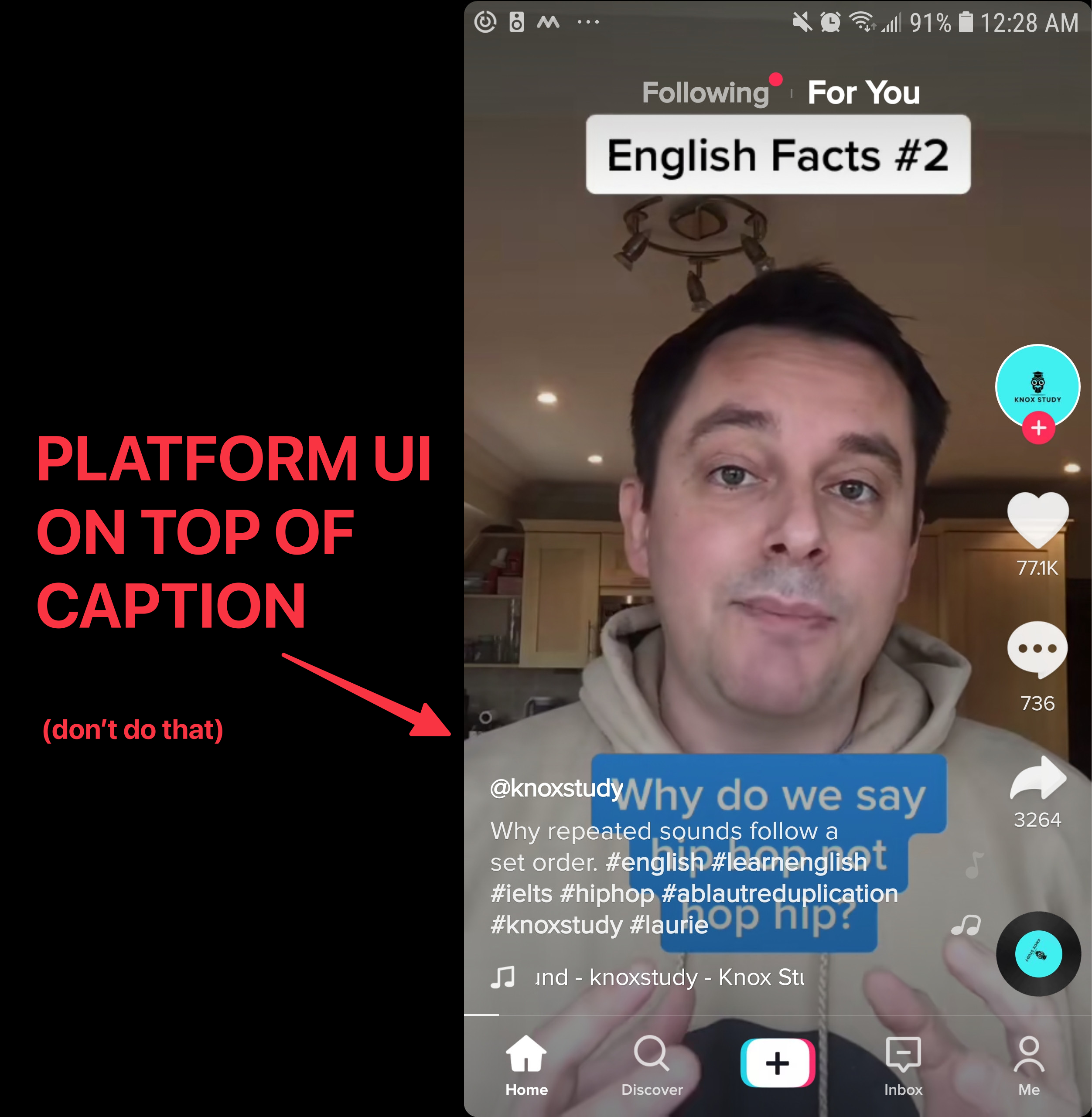
6. Position subtitles in the SAFE ZONE. TikTok and Instagram overlay their own UI on top of your video. Usernames at the top, share buttons on the right, link previews, and text at the bottom. LinkedIn and X put video controls on the bottom 15%. Keep subtitles in the middle 60% of the frame vertically.
I spent way too long getting these wrong on my own ads. Saving you the trouble.
Have a great week ✌️
Tom
P.S. If you’re wondering what to actually put in the first few seconds of your video → the 3-second rule.
These are nice reminders even for those of us who are used to editing videos. I'm going to be using all of these on my next video this week. Thanks!
That YouTube video subtitle one is really interesting; I learned something good from it, but yeah, those are Instagram and TikTok. I still find a lot of creators who make mistakes on writing and putting words where consumers or users can't read, like close to the description, which is so hard to read, and people scroll. They have time to read and listen; if, at first glance, your video doesn't pass the check in their brain, they will throw it out from the feed.