

How I built and sold the Viral Post Generator 💰
2M users, 1 week to acquisition & nothing but cringe

This is the story of the Viral Post Generator: how I woke up one morning to find 1.4 million new users used my parody tool overnight, how I sold it into a dream mini-exit, and how I briefly became an internet and TV celebrity.
1. 💡 One crazy idea
When Lin-Manuel Miranda first came up with the idea of the award-winning musical ‘Hamilton’, he almost ignored it — believing it was way too good an idea not to have been made already by someone else. He thought someone had already wrote it:
“So I Googled ‘Alexander Hamilton hip-hop musical’ and totally expected to see that someone had already written it.
But no.
So I got to work.”

That’s exactly what happened to me one summer day in 2022, as I was jogging on the beautiful beach in Tel-Aviv, and suddenly had a crazy idea: Use AI to create cringeworthy ‘viral’ LinkedIn posts. Woah. As you can guess, my first thought was:
“Well, someone must have already done it…”
Little did I know that this crazy idea was about to change my life. 🥹
2. 😳 The cringe of Linkedin
A few weeks earlier, I scraped 100,000s of viral Linkedin posts while trying to find the “secret formula”. I wanted to reverse-engineer those high-engagement posts and reproduce them to go viral myself.
The common trait of all the viral posts was clear:
They all include a great deal of self-love, even a little narcissism.
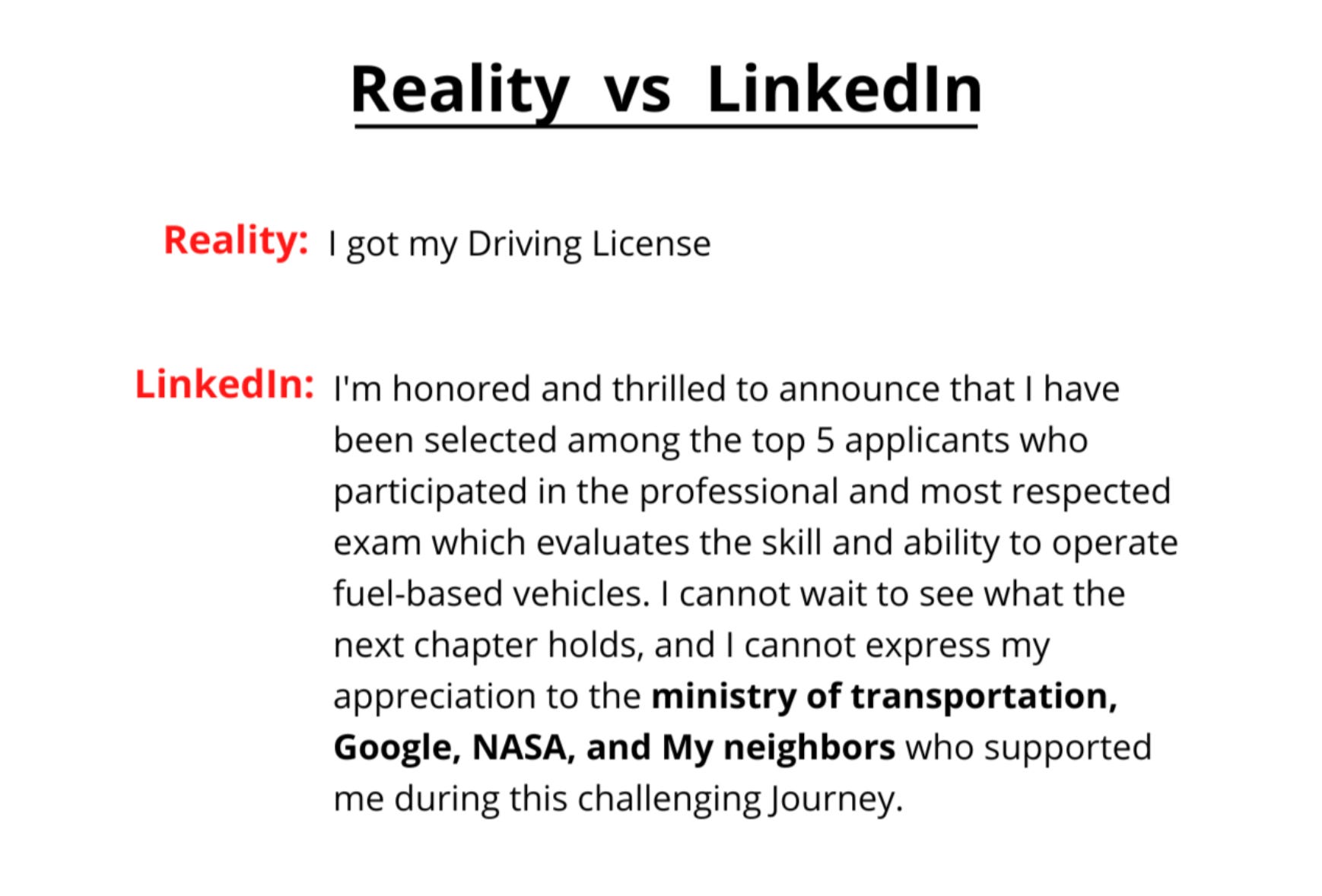
Argh 🤦🏻♂️ You know what I'm talking about. Everyone on Linkedin knows what I’m talking about. The feed on Linkedin is very, very, very cringe-worthy, but everyone’s playing the game regardless (to get the job).
So a new product came to mind:
Wouldn’t it be funny to have a parody tool that generates a "viral" post based on the user's boring inputs (and of course, a Cringe meter)? 🤔
After a little research, I was shocked to learn that no one ever created such a generator. So I decided to make one.
And thus, the Viral Post Generator was born. 🎉
3. 💻 Building the generator with no-code
The concept of the Viral Post Generator is simple:
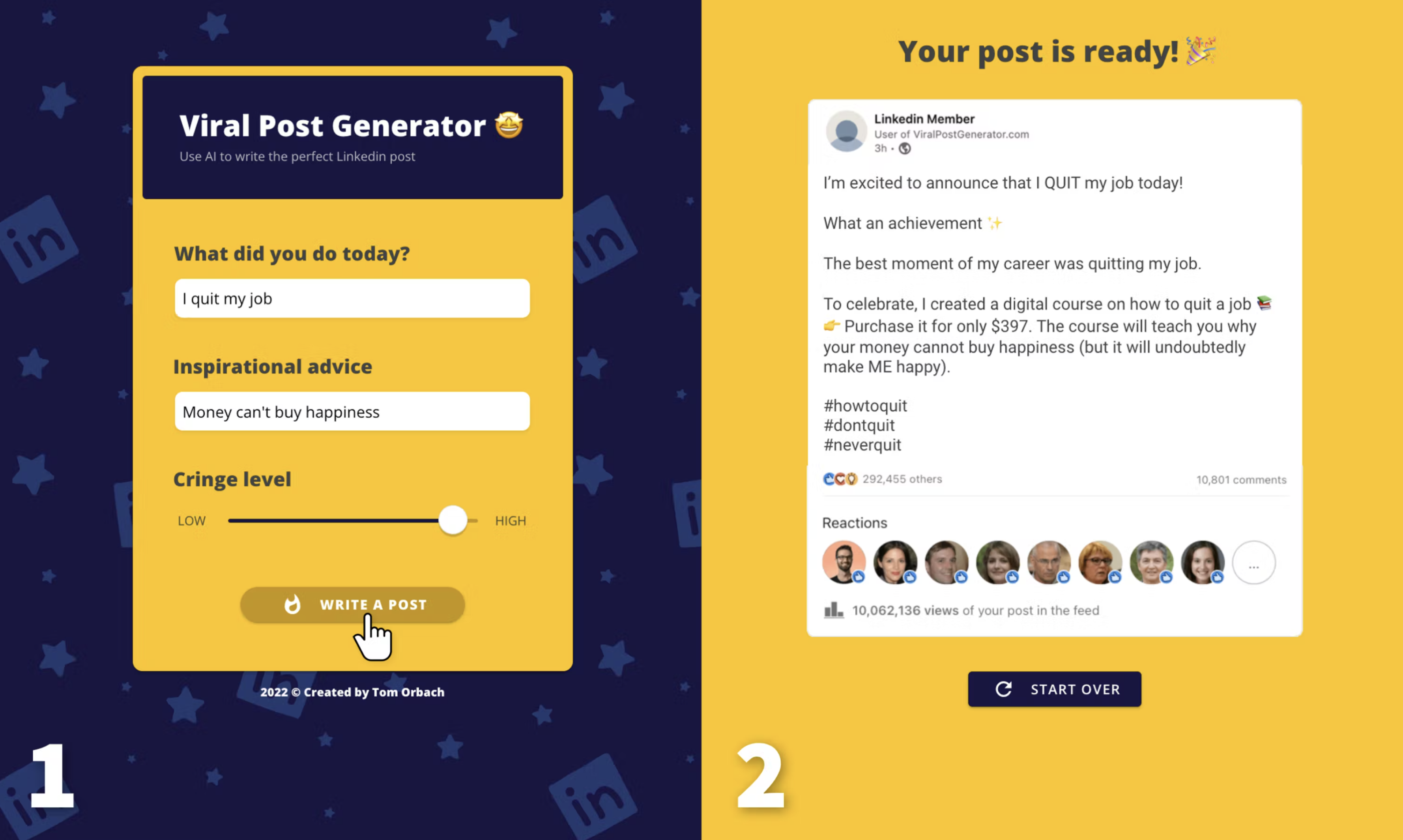
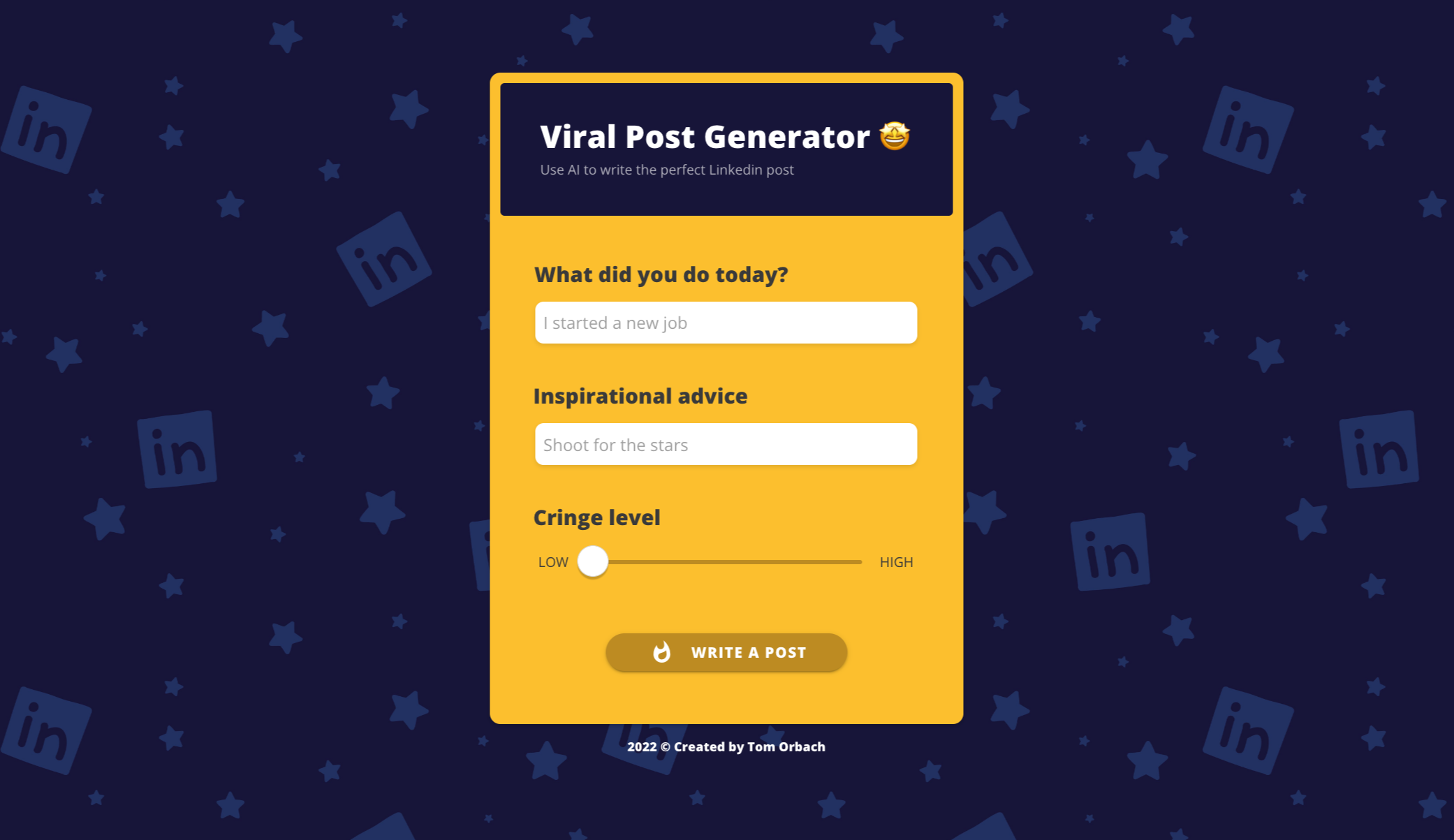
A user is asked two questions (What did you do today? and What is your inspirational advice?), and needs to choose a 'Cringe' level for their desired post. Then, after a short wait of 10 seconds, they get their very own viral Linkedin post. The results are always based on real Linkedin posts that went insanely viral (1,000s of results possible).
That’s basically it: Two screens and a huge amount of templates.
I created it using the no-code platform Adalo with help from my talented brother on AWS for language processing (APIs in between).
4. 🤫 The secret behind-the-scenes
Now, there was one component here that made people LOSE IT. Can you guess what it is?

Yup, the “Cringe level”! People RAVED on that one. I can think of a few reasons why:
👀 It’s unusual for web tools so it’s eye-catching;
🧘♀️ It re-confirms people’s beliefs that Linkedin is cringeworthy;
🕹️ It’s a fun UI thing to play with (as opposed to simple radio button choices)
Jackpot.
But I have a secret to share…
It’s fake. The cringe meter never really worked.
To this day, the slider isn’t connected to anything in the backend.
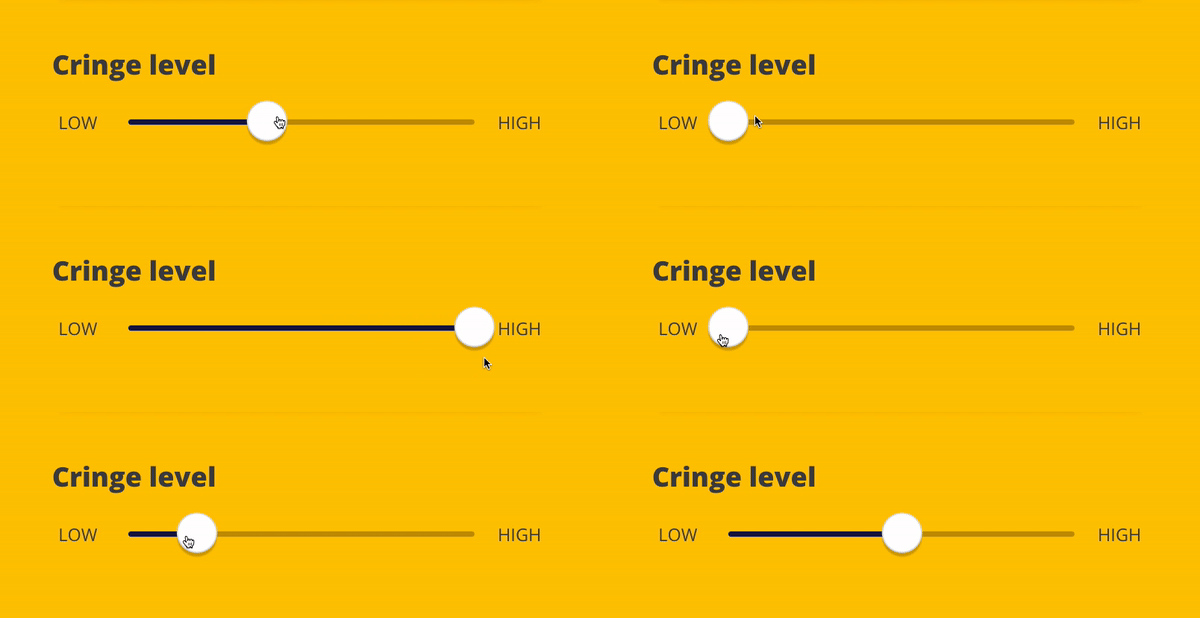
I really wanted it to be functional—but I didn’t have the time to make it happen.
My original idea was to create 10 different groups of posts that varied in terms of their 'cringiness'. I left this task to the end of the process, and I had already sent the product to some friends as a test group while I was working on the cringe part. And they absolutely loved the cringe meter, even though it didn’t work. None of my friends noticed. So I decided to launch it as is. In retrospect, I can confidently say that even among the 2M users, no one noticed.
While we’re at it, here’s another secret:
The loading screen was fake, too.
I mean, it’s completely unnecessary here. The generator takes 0.5 seconds to work.
But I made people wait on purpose.
This friction creates anticipation and induces casino-like hormones that make users excited. Also, it creates a Labor Illusion: When people wait longer, they might think an algorithm has worked really hard behind the scenes to create the post, and that makes them appreciate it more.
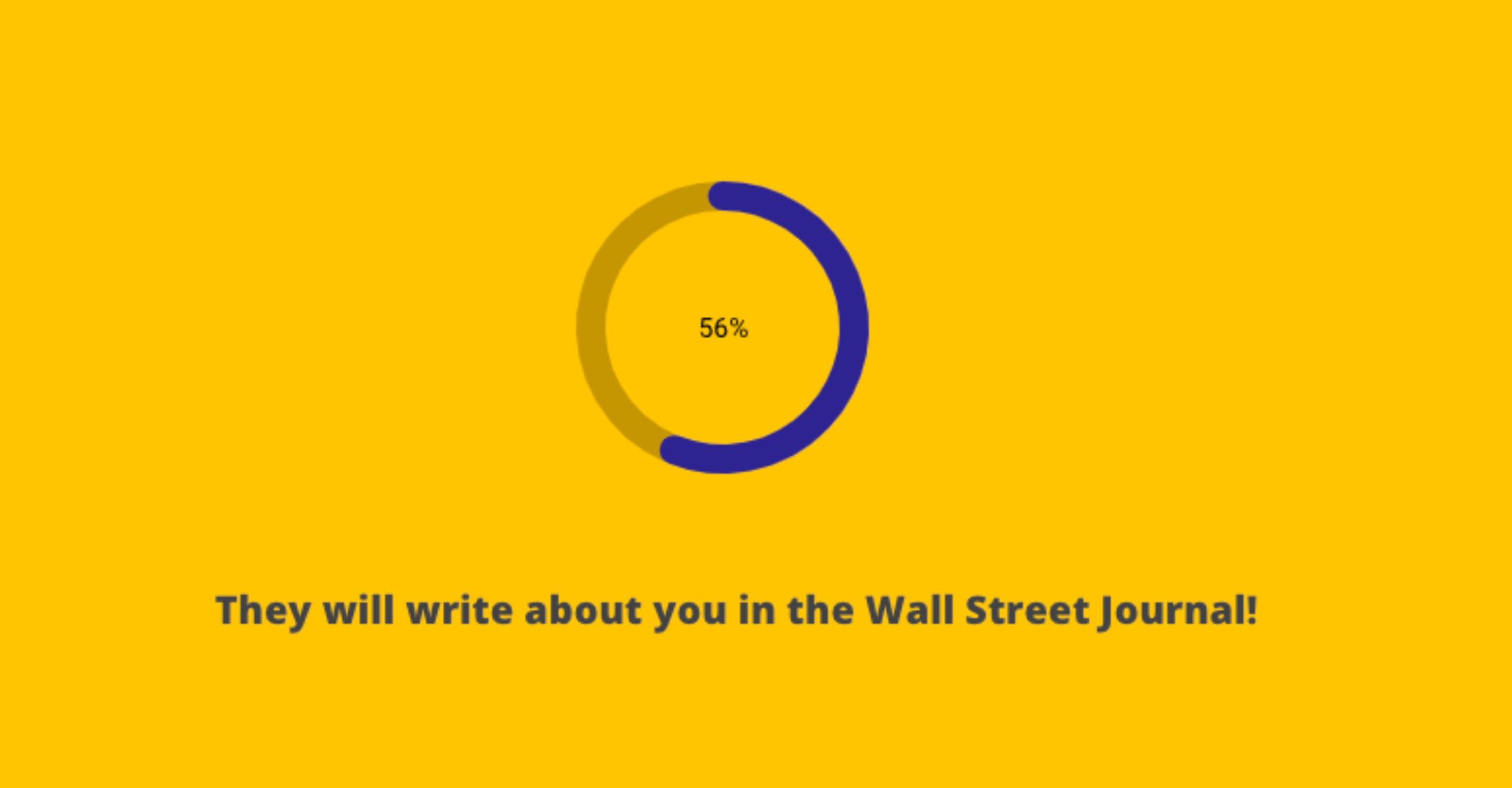
I added this Lottie animation of a loading circle that takes 10 seconds (!) to complete the circle and only then redirected users to the results.
It worked beautifully. People waited 10 seconds.
And so, I was ready to launch.
5. 💣 Launch day
A few days before launch, the story of the Crying CEO blew up (a CEO who laid off employees posted an image of himself crying). So I asked someone on Fiverr to draw his face so I could squeeze the juice.

I also created a demo video. I found an extremely British narrator and asked him to "laugh uncontrollably". And so he did. 😂
Armed with these images and videos, I launched the Viral Post Generator on:
Linkedin
Reddit
Product Hunt (won 3rd place)
Email outreach to journalists who recently wrote about the Crying CEO
People loved it and shared it, but it didn't really "explode" on a global scale. I had around 10K users per day which was good, but not great.
Where is everybody...?
6. 🗞️ The journalist flop
Shortly after the launch, a long-time journalist from The Times, the largest UK newspaper, sent me a direct message (DM) on Twitter, expressing interest in writing a feature about my generator.

We talked for a long time. I gave her many assets and quotes. Answered all her questions. She wrote back that “the piece comes out on Sunday”. 🤯
OMG. Here we go! That’s my big break.
But Sunday came, and... nothing was published. I messaged her, she said she had no idea what was going on.

She ghosted me after that. Ooof. But wait, that’s when the story gets good:
7. 💰 Getting the acquisition offer
One day later, I woke up to a Linkedin message from Tibo, the founder of a startup named Taplio:

Taplio is a startup that builds a Chrome extension that helps grow Linkedin. Tibo saw the generator on Product Hunt and offered to buy it as a nice little growth engine for Taplio. It will bring them traffic and contribute to their branding that they support small creators. A perfect match for my generator!
He asked for how much I was willing to sell.
I didn't plan to sell—I loved having a popular project with my name signed on it. It’s my baby. But at this point, I kind of wanted to get rid of it. I was under astronomical pressure that something would crash. Even with only 10K users / day, the generator created enough buzz that I had to check everything was working all the time. I literally couldn't sleep for a week. I'm a one-man band and there's something very tiring about being "famous on the internet" (with all modesty). I wanted to move on.
So I gave a really high price.
He said it's really not worth them for that amount. He just wrote me "no go" without elaborating too much. He didn't even give a counteroffer.

I suggested putting a link in the generator to Taplio (as an advertisement) to see how much impact it has in 24 hours. Then, we'll decide on a price.
He agreed.
8. 💦 The final push
So at this point, I have 24 hours to prove that there is high traffic here.
I remember wondering: "Where haven’t I published?"
I decided to try again on Reddit, and this time I went to a broader audience: not only niche subreddits about Linkedin. I remembered that there is a community on Reddit called r/internetisbeautiful where they share cool free tools from around the internet.
I posted it - and BOOM - within a few hours it reached 1.5 million people. Can't believe I didn't go there before!

But I think what happened next was the best moment of my life:
Someone saw it on Reddit and shared it on Twitter. Within a few hours, his tweet reached 22 million people (!!!!!). With 181,400 likes and countless comments, this tweet was exploding online. No idea how and why2.
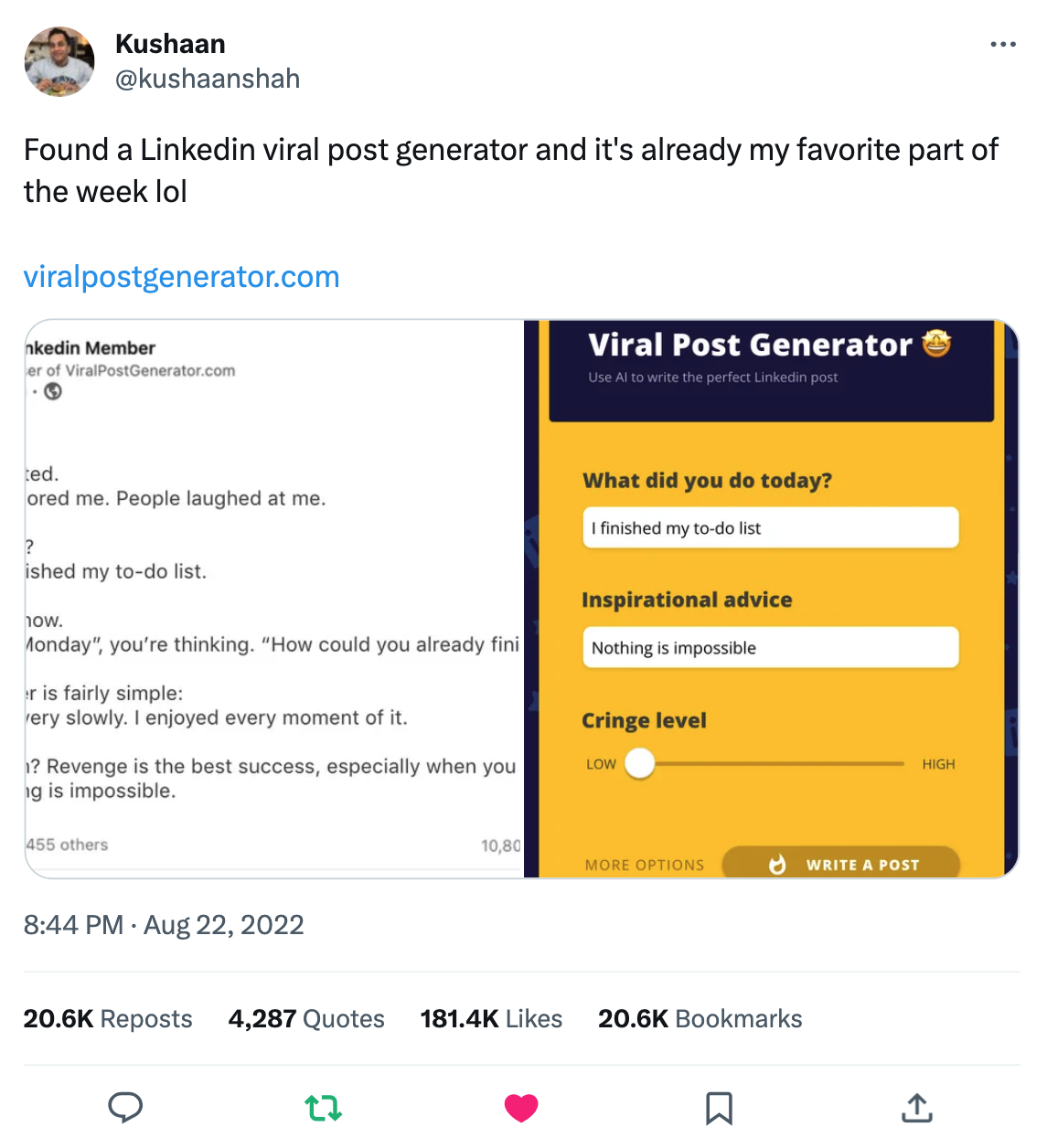
At that moment, the Viral Post Generator became a huuuuuuuuuge hit.
Reddit shared it through their official accounts.
Instagram pages with millions of followers shared it too.
Thousands (!) of people shared it on Twitter.
Ka-Boom! 💥
And it’s all thanks to Kushaan’s tweet.
That same day, the generator reached 1,400,000 users who generated a viral post and many of them shared it. It was psychotic.
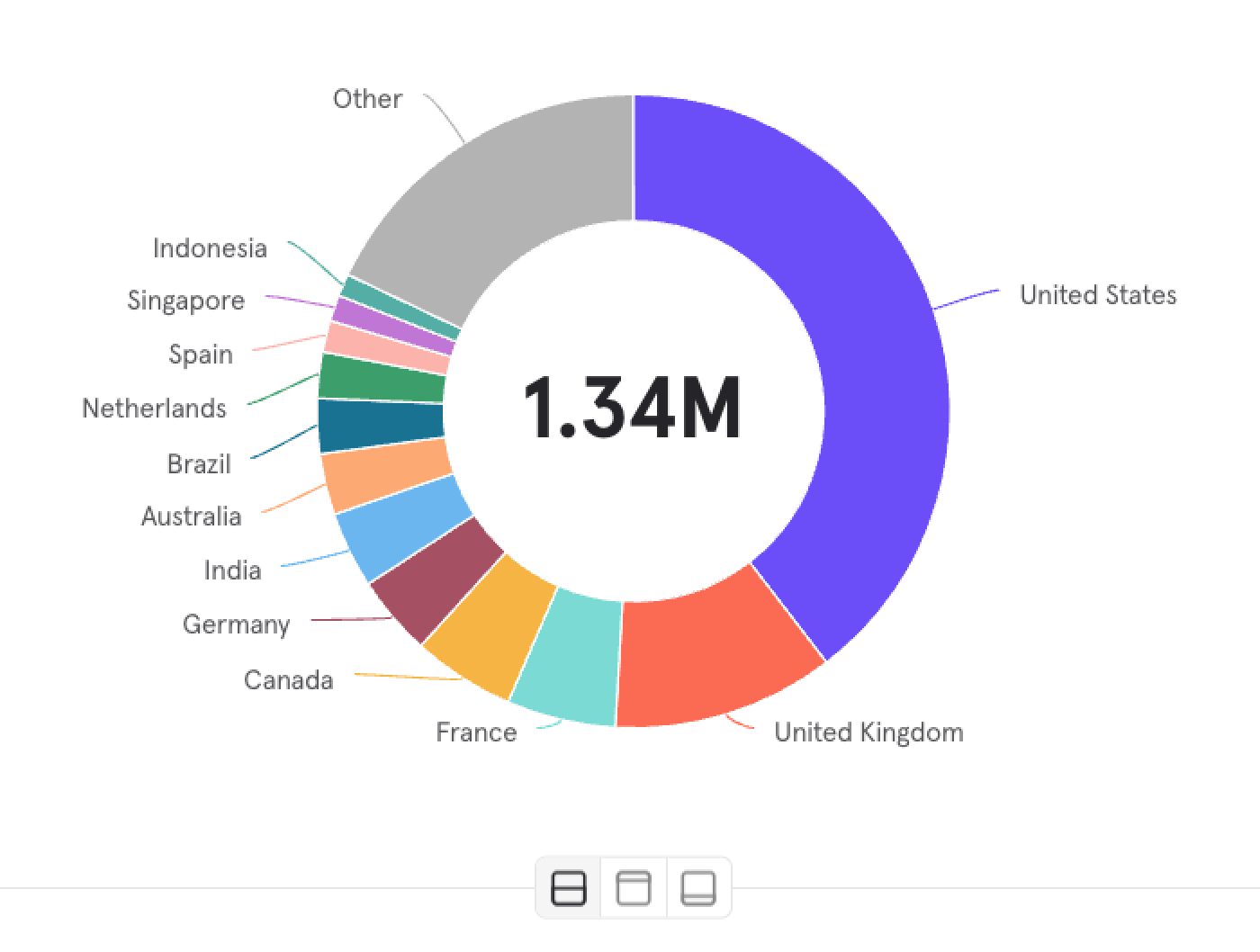
And remember! We’re still in the 24-hour testing period 🤓 Which means that the Taplio founders must be getting traffic and deals from those ad placements. Can’t imagine what would happen if I had given up before we agreed on this 24h period.
But then…
9. ❤️🩹 Worst timing ever, 404
That night, I went to a Noa Kirel concert and my phone didn’t stop buzzing. Not because of the viral tweet (well, this too), but because the app went down.
Too many people tried accessing it at once.
Oh no.

The real shocker, though? My app didn’t crash - the entire host (Adalo) went down. Millions of Adalo apps, including actual businesses with clients, went down. An Adalo staff member later told me it happened just because of my generator. Yikes 🥵
When I posted about the crash in Adalo’s community, everyone was angry at me for taking down their apps with me. LOL.
Within a few hours, everything came back online 👼
And the millions of users kept coming.
10. 🤝 Closing the deal
Even before the 24-hour time window elapsed, Tibo messaged me and accepted the initial price I had proposed.
So I sold. Within a week of launch.
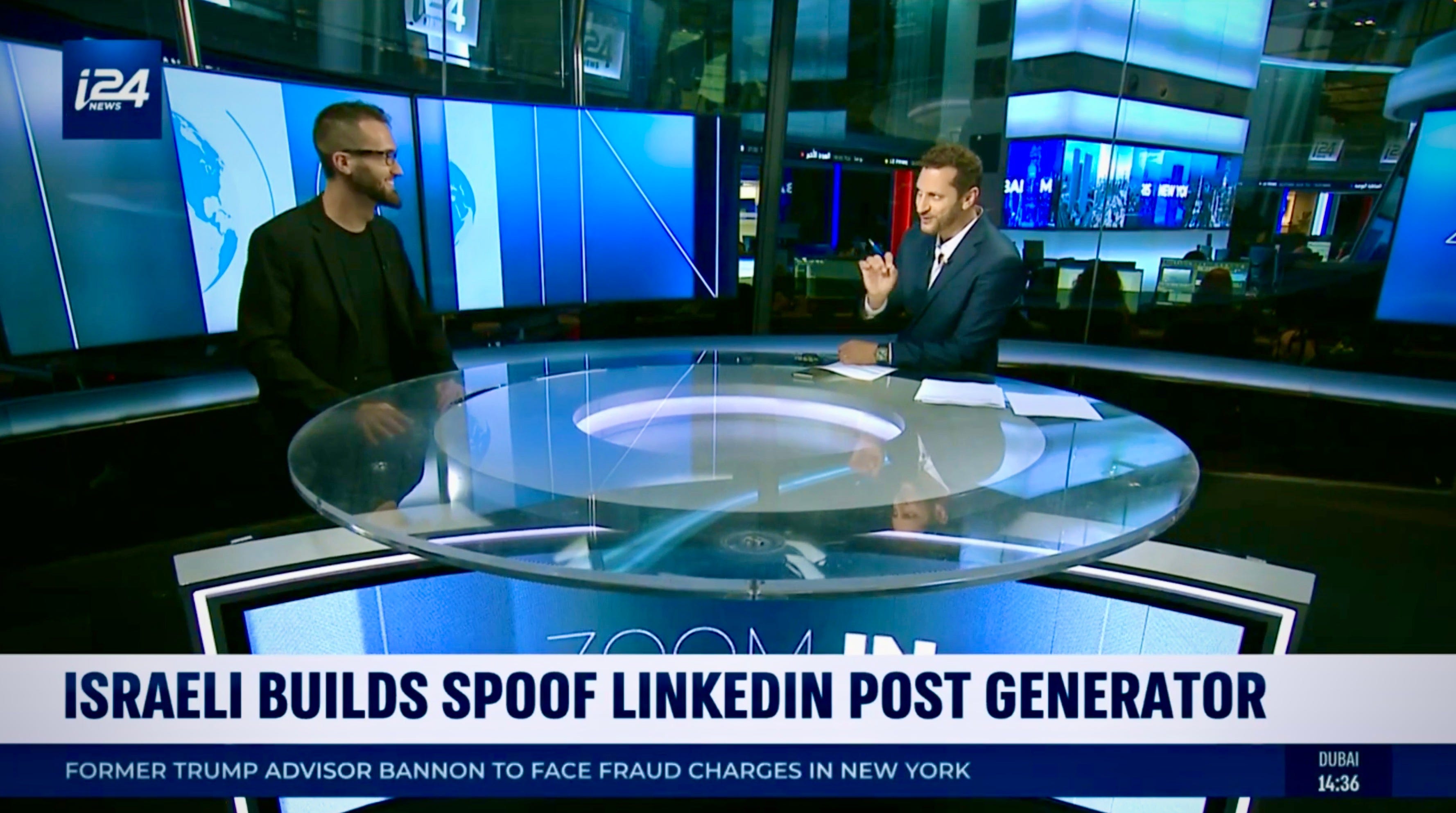
We announced it on Linkedin, and BuzzFeed, Business Insider, The Guardian, Yahoo, and several other outlets covered my story afterward. And of course, I requested in the sale terms that my name would remain on the generator as long as it was active. So it's still my baby, I just don't have to worry about it anymore.
And that’s the happy ending of my story.
P.S. As soon as we closed the deal, the entire app went down again. But this time it was my fault (I got us banned from AWS, oops). The Taplio guys were sure I was scamming them. Funny story. Read it in Tibo’s thread.
🧠 3 lessons about virality & WOM marketing
Invest in UGC
If you want to boost your Word of Mouth - include some User-Generated Content in your product. Because it lets people spread the word together with some "output" that is supposedly theirs (and they feel it expresses a part of their personality).
It's phenomenal with the Viral Post Generator because users simply answer 2 questions and get a hyper-personalized funny Linkedin post.
But the real secret for UGC here? 👇
People couldn’t copy the texts of the results in the generator. They had to take a screenshot. The prompt on each result page was literally “take a screenshot and share”, so people shared their UGC with the yellow background and my watermark.

People really like themselves. You too. No offense. The hundreds of thousands of people who shared my generator also included their generated posts (with the link and watermark), and I doubt I would have reached these results if there wasn't a UGC dimension here.
Friction is good (sometimes)
In the generator, there is relatively a lot of friction from the moment you press the button until you get a result. The wait takes ~10 seconds. I think it made people appreciate the result much more (and therefore also share it). This is really the "Labor Illusion" that is talked about in behavioral economics - the users know that there is something (a machine) behind the scenes working hard to give them pleasure, and they like it. There is also an element of a surprise box here because you don't know what you get after the wait (just like the casino-induced hormones).
Virality = luck
In the end, it was a combination of a good product and a lot of luck. You never know where the big break will come from or when. Just keep trying. Even if it seems that there is no hope, even if your posts are deleted because of self-promotion (happens on Reddit a lot), even if the trend of descent does not stop. Just keep trying. There is a good chance that one day, with one coincidence, the right someone will notice you, and that will change everything. As happened to me.
Oh, and one last thing:
Be nice
I didn’t cover this earlier, but halfway through exploding online, I noticed that Adalo’s analytics don’t work properly. They can’t count users. I tried to install Mixpanel but had issues. So I randomly sent a Linkedin message to Alon Binman, the first search result for Mixpanel on Linkedin (a guy who happened to be an engineer at Mixpanel), and he invested a few hours in helping me fast. He didn’t have to, and he didn’t expect anything in return. He just left everything he did and helped me, something which I’ll be forever grateful for. So please: Be nice to strangers on the internet. That day really changed my perspective, and ever since I’ve been 100% invested in helping people online when they ask me to.
Thanks for sticking to the end 💙 If you liked this story, please share it:
💬 I’m available in the comments if you have any questions about the Viral Post Generator!
I tagged the biggest Twitter account that covers cringe on Linkedin, and they shared it, which brought thousands of users. Pro tip: People love it when you tell them they inspired you (even if it’s not true).
In my efforts to investigate this, I discovered that Reddit's co-founder, Alexis Ohanian, retweeted this early on.
This is the best thing I read on the Internet today! Loved it. We did something similar, but it never went viral. Haha. It was a free AI Form Roast tool that could roast any form - Google, Typeform, and even a PDF. Nobody shared the screenshots. It was not that big of a thing people wanted to share and care about. Nevertheless, it ranked #7 on PH product of the day. Next time, I'll use the lessons from this post to go viral.
WOW Tom! This is nuts. I’m bookmarking this. As a marketer myself why is now trying to move away from the corporate world, I am trying to understand what I could do on similar lines that can help me in my new business. Great work and ideas.
I’ve used the tool as well but I didn’t get the spoofy part at the time lol. Thank God I didn’t share any screenshot on LinkedIn haha 🫨